Hamstermatic
Language: English

A physics playground for ages 6+

Hamstermatic

Build crazy machines with Ming the hamster!

Roll balls, light fuses, launch rockets, build bridges and power a whole town. A physics puzzle and building game for curious kids, made by an engineer dad who couldn't find one for his son.

Coming soon to itch.io for Windows PC

  • ✓ No ads
  • ✓ No tracking
  • ✓ Works offline
  • ✓ One price
Build it. Run it. BOOM!
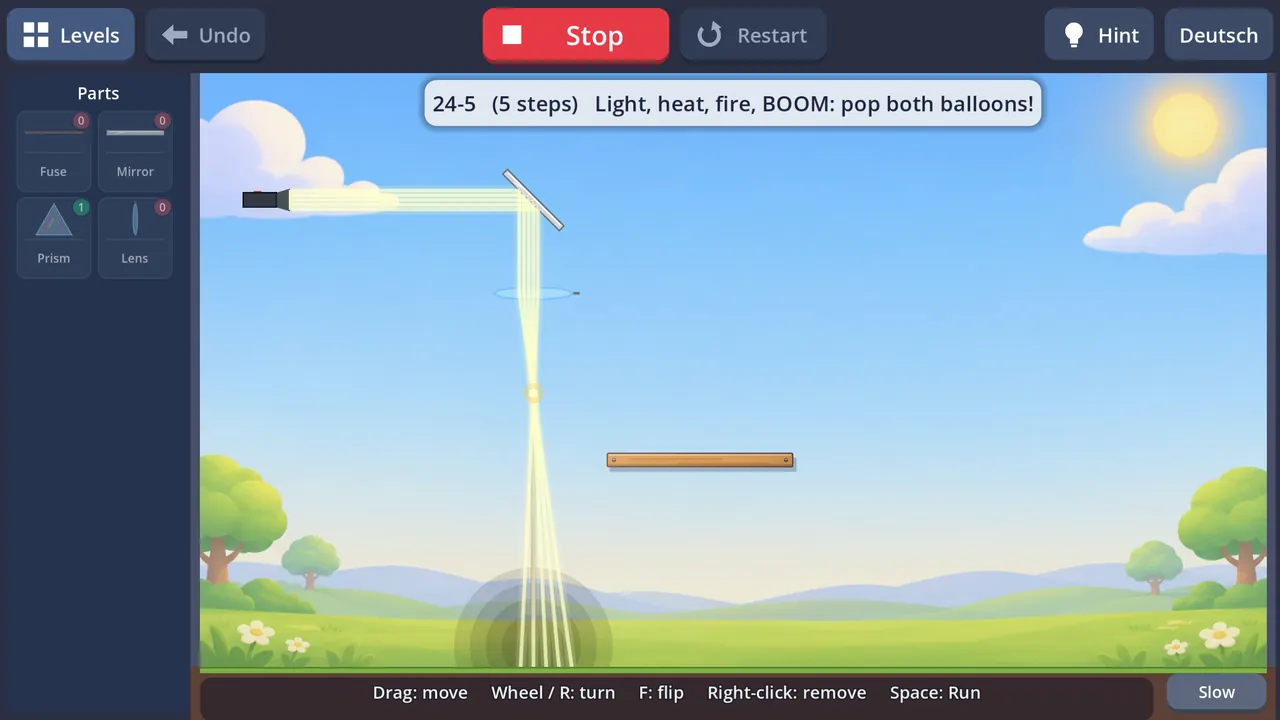
A chain machine: water, power, heat, fire, BOOM, drop, fly!
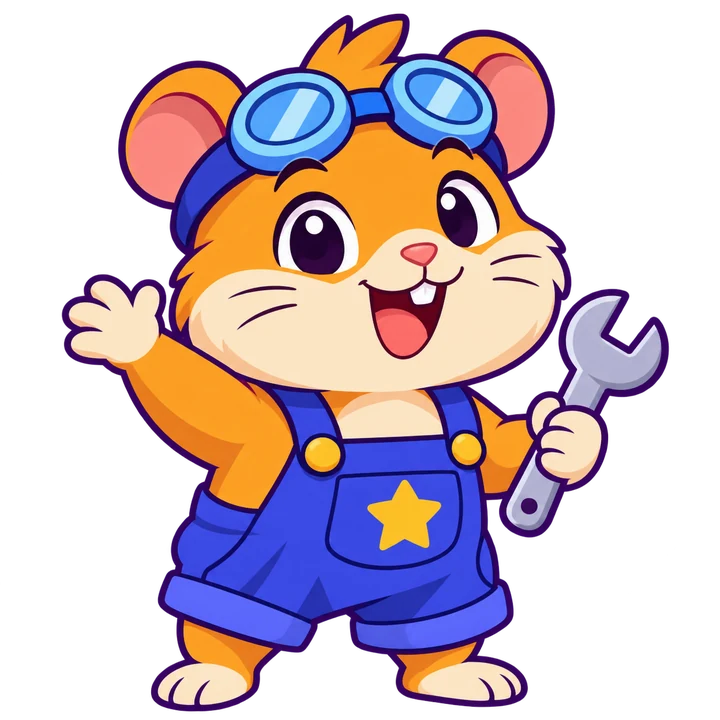
Ming the hamster, waving with a spanner

Big fun. Real learning.

Hamstermatic has two sides, and kids switch between them all day.

FUN

Launcher Duel

Launcher Duel

The family favourite: a silly artillery battle for 2 to 4 players on one screen. Pick a launcher, drive closer, aim and… BONK! Bubble cannons, rocket rain, bombs with legs, item boxes, wind and a Robot Ladder to climb when nobody else is home.

  • Kids vs. parents, made fair with an aim helper and a head start
  • A new land every round: hills, valleys, mountains, craters
  • Attack & Defend battles: build a castle, aim, then knock it down
LEARNING

290+ physics puzzles

290+ physics puzzles

Every puzzle is a real machine with one part missing. Kids think, try, fail, laugh and try again, and without noticing they learn how gravity, momentum, levers, light, water, heat and electricity work.

  • Starts with first mouse skills, grows into 10-step chain reactions
  • Science worlds checked by real engineers
  • Hints when stuck, hard puzzles always optional

Build it. Run it. BOOM!

Every puzzle is a little machine waiting for one more part. Drag in a ramp, a spring or a domino, press Run and watch your chain reaction. If it fails, try again: that's half the fun.

  • Balls, ramps, gears, springs, ropes and pulleys
  • Rockets, fans, magnets, lasers, water and fire
  • TNT and demolition: knock down walls the clever way
  • Free Play sandbox and a challenge maker for your own puzzles
  • Dig and shape the land, build dams, let the water flow
A chain machine: water, power, heat, fire, BOOM, drop, fly!

Kaboom moments

Free Play & Adventure: endless possibilities

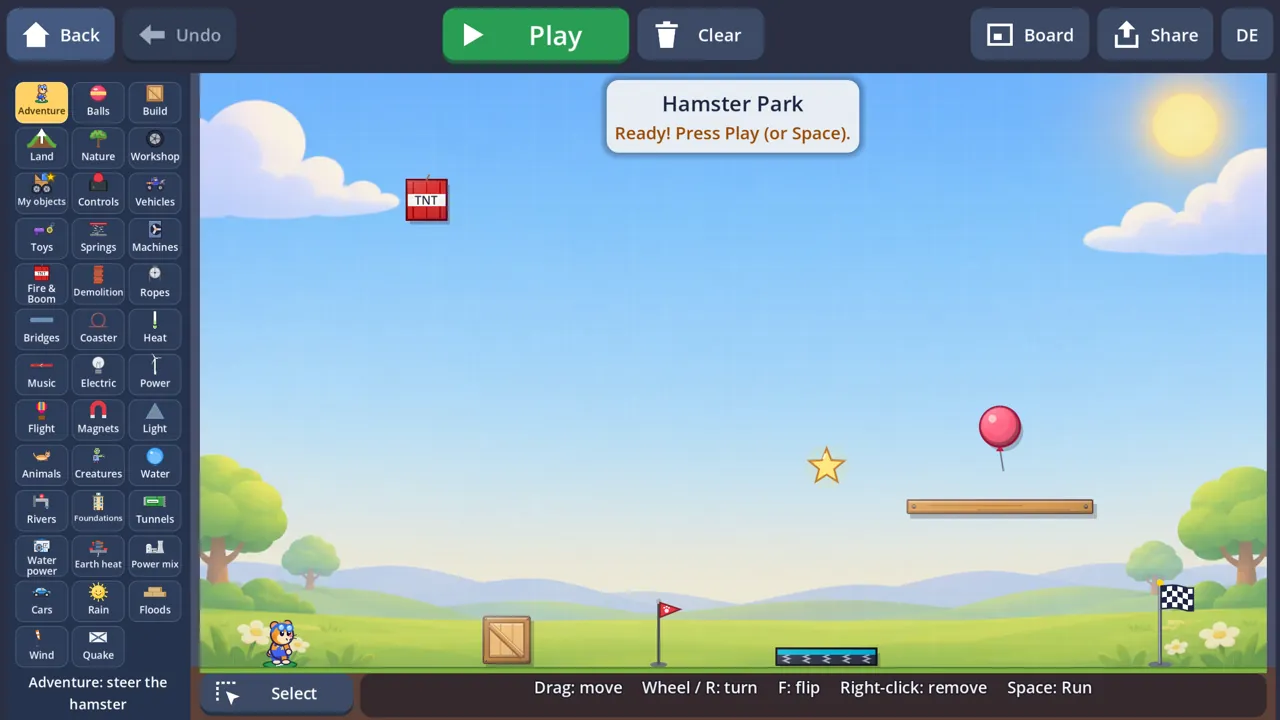
When the puzzles are solved, the real fun begins. In Free Play every part of the game is unlocked on one big board: more than 40 toolbox tabs, from balls and TNT to rivers, tunnels, power plants and earthquakes. If a child can imagine it, they can build it.

Building an Adventure world: every toolbox tab is open
  • Dig hills, caves and valleys, then let the water flow
  • Weather, wind and other worlds: the Moon, space, under water
  • Build your own vehicles in the Workshop and save them as objects
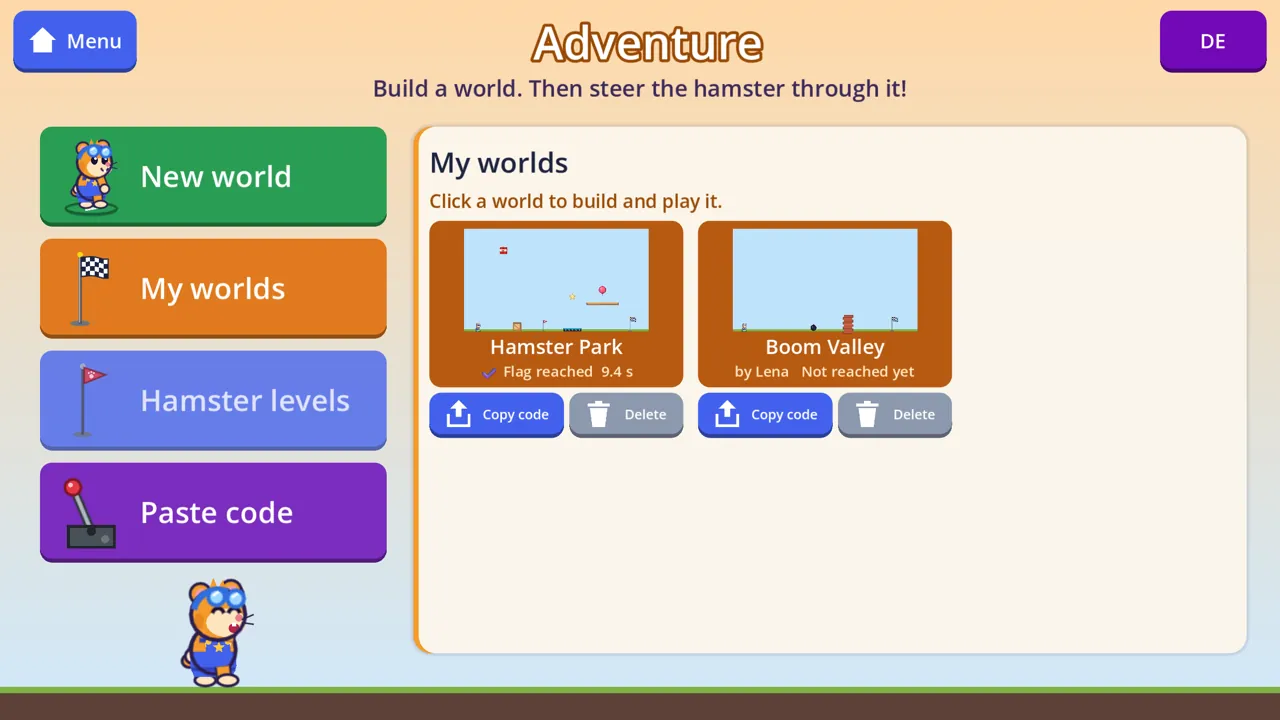
  • Adventure: build a world, then steer Ming through it with vehicles, creatures and a jetpack
Land + water: blast the dam and let the lake out

Challenge your friends

Made a tricky puzzle or a crazy Adventure world? Share it with a simple code. No account, no server and no internet connection inside the game: the whole level fits in a short text.

  1. 1

    Build

    Make a puzzle in the challenge maker, or an Adventure world for Ming.

  2. 2

    Beat it yourself

    Only levels that can really be solved can be shared: you have to win it first.

  3. 3

    Send the code

    Copy the code and send it by message or e-mail, or write it on a note.

  4. 4

    Friends play it

    They paste the code, see who made it and try to beat it.

My worlds: copy a code to share, or paste a friend's code

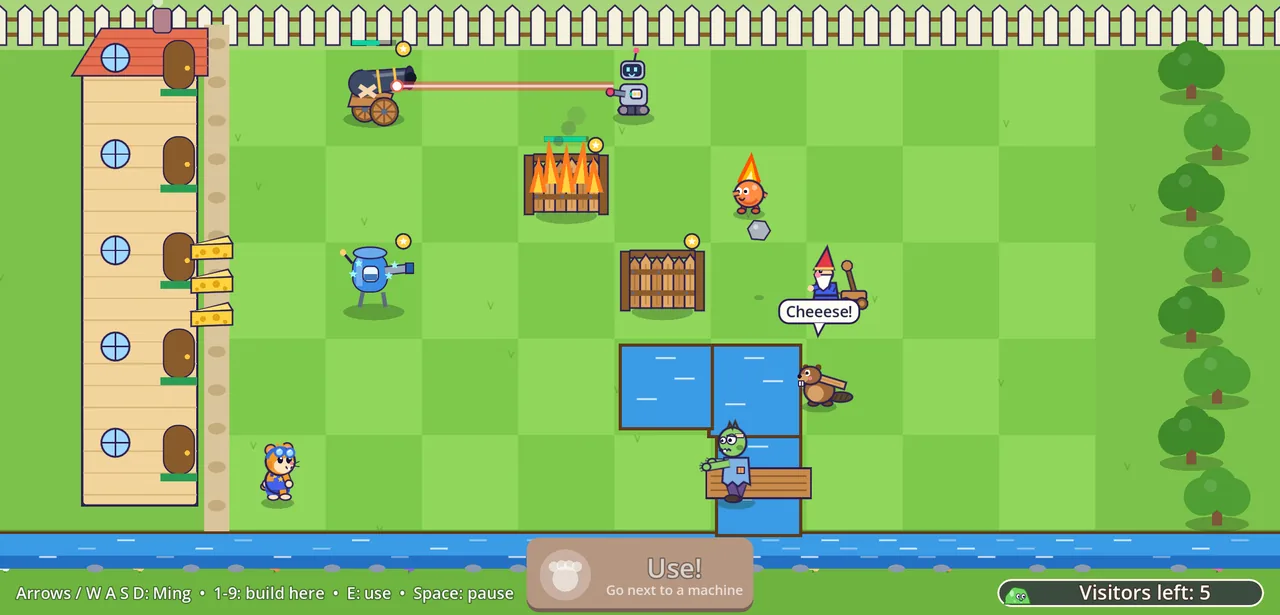
NEW Cheese Guard: keep Ming's cheese safe

Slimes, zombies, robots and a cheeky beaver all want Ming's cheese! Seen from above, kids steer Ming around the garden, build machines, walls and rivers, and then use them at just the right moment. Nobody gets hurt: every visitor sent home waves, cools down or floats away.

A robot with a laser, a fire imp, a catapult gnome and a beaver on a plank
  • Ming builds cannons, fans, goo and bubble blasters, and fires the one it stands next to
  • Wooden walls, stone blocks and a river dug with a shovel
  • Eleven visitors, each with its own trick: the beaver lays planks over the river
  • Think first: water cools the fire imp but does nothing to a beaver

Learn how the real world works

Beyond the crazy machines are science worlds where kids build the things that keep our world running. No formulas and no numbers to memorise: just symbols, colours and a lot of “aha!”.

Power for the town
Energy

Power for the town

Water power, earth heat, solar, wind, nuclear, coal and gas. Keep the lights on and the sky clean.

Electric cars
Energy

Electric cars

Look inside an electric car and a fuel car. Charge with the sun and brake downhill to refill the battery.

Foundations
Build & Dig

Foundations

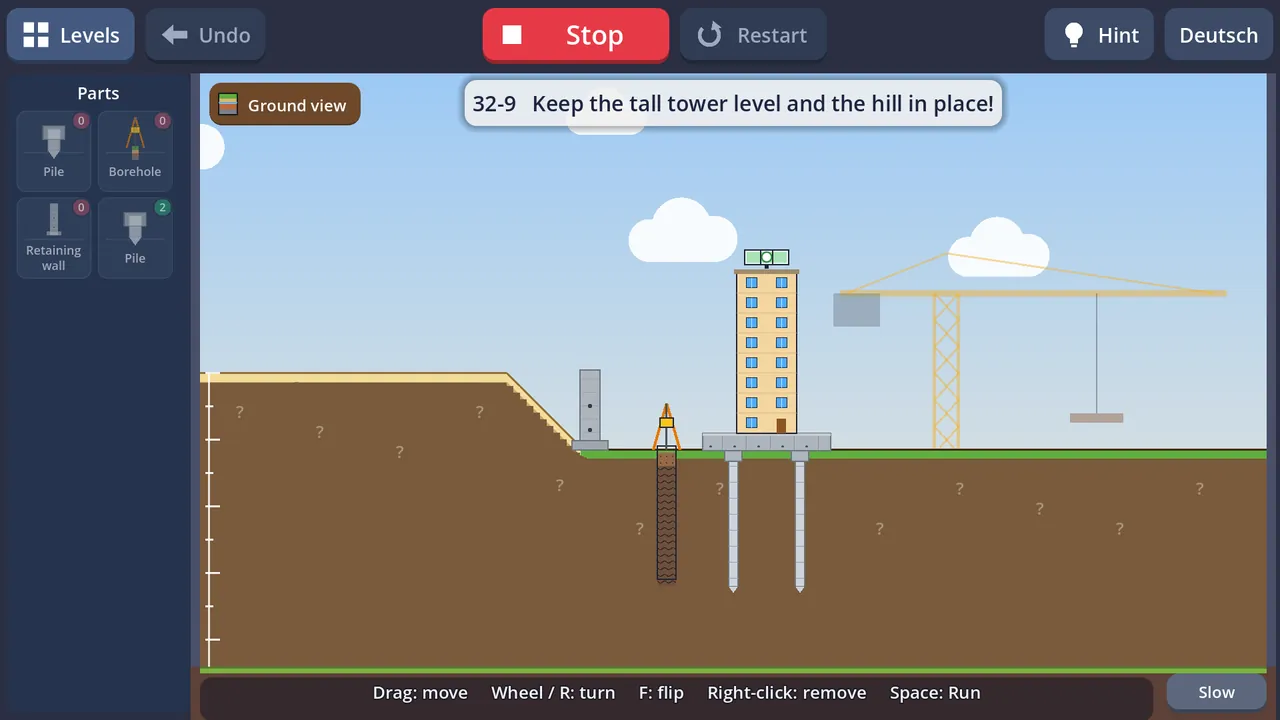
Soft ground, piles to the rock, leaning towers. Drill a borehole first to see what's below.

Tunnels
Build & Dig

Tunnels

Tunnel boring machines, rock bolts and blasting. Engineers keep the roof safe.

Bridges & roller coasters
Machines & Forces

Bridges & roller coasters

See which beams are pulled and which are pushed. Turn height into speed on a roller coaster.

Heat & music
Science Lab

Heat & music

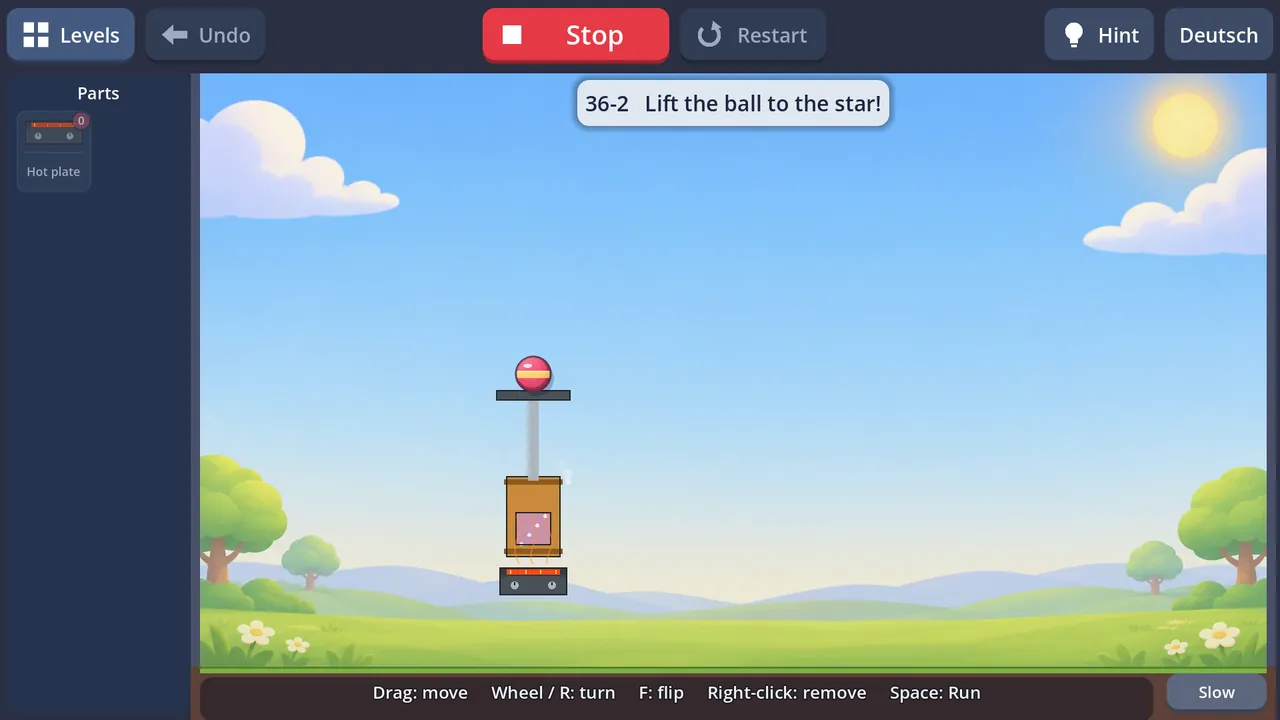
Boil water to lift a ball with steam. Build a xylophone machine that plays a real tune.

Rain, floods & big waves
Nature & Earth

Rain, floods & big waves

Follow the water cycle, catch rain in a barrel and keep the village dry with sandbags and sea walls.

Wind & earthquakes
Nature & Earth

Wind & earthquakes

Brace a tower against the wind and test houses on a shake table. Nobody gets hurt: the village watches from the park.

The energy worlds were designed with a hydropower and geothermal engineer, and the foundations and tunnels were checked by a geotechnical engineer. Simplified for kids, but true in spirit.

Play together

Pass the tablet or grab two game controllers: Launcher Duel is a silly artillery battle for 2 to 4 players, with bubble cannons, rocket rain and bombs with legs. In the Attack & Defend battles one player builds a castle and the other tries to knock it down.

  • 2–4 players on one screen
  • Game controllers supported
  • Kids vs. parents: the helper aim line keeps it fair
  • Attack & Defend: aim every launcher first, then shout Attack!
  • Robot opponents for playing alone
Two hamsters in cannon carts in a Launcher Duel

Why I built Hamstermatic

When my son was ready for the computer, I went looking for a game that would teach him to use a mouse and let him play with real physics: things that roll, fall, bounce and break. And it had to be a game with no ads, no pop-ups, no tricks to make kids buy things, and nothing that collects his data.

I couldn't find one. So I built it.

I'm a hydropower and geothermal engineer, and his mum is a geotechnical engineer. Every evening he tested the newest version and told us what was fun, what was too hard and what should explode next. His ideas became levels, his favourite hamster became Ming (named after him), and a small project for one boy became a game kids can play for hours.

Along the way he learned to drag, drop, turn and right-click without even noticing, and he started asking the best questions: Why does the heavy ball win? Where does electricity come from? Why doesn't the bridge fall down?

— A dad, an engineer, and the family behind Hamstermatic

🖱️

First mouse skills

Drag, drop, turn, right-click: learned by playing, not by drills.

⚙️

Real physics

Gravity, momentum, levers, springs and chain reactions you can see.

🚫

No ads, ever

No banners, no videos, no pop-ups, no data collection.
Meet Ming

Ming is a small hamster with big goggles and an even bigger curiosity. In Mascot mode kids steer Ming through hills, caves and rivers; along the way Ming collects stars, earns badges and new looks, and gets a garage full of vehicles. And every child can give their hamster its own name.

Ming the hamster

For parents

🚫

No ads, no tracking

No advertising, no analytics, no account, no chat. Saves stay on your device.

📴

Works offline

Play on the train, in the car or on holiday. No internet needed.

🖱️

Mouse, touch & controller

Teaches mouse skills on the PC, works with fingers on tablets and with game controllers.

🧒

Ages 6 and up

Gentle start, big buttons, hints when stuck. Hard puzzles are optional bonus fun.

💶

One fair price

€2.99 once for the whole game on Windows PC. No in-app purchases, no subscription, no loot boxes.

🌍

Languages

English, Deutsch, Tiếng Việt, Español, Français and Português. Switch any time, even mid-game.

Get Hamstermatic

Windows PC on itch.io

Available first. €2.99 once and it is yours to keep: a DRM-free download for Windows 10 and 11, no account needed. Updates with new worlds are included.

Windows PCcoming soon

Android on Google Play

Later, for phones and tablets: free puzzles to try, then one unlock for the whole game, protected by a parent gate.

Android phones & tabletslater

Questions

Is Hamstermatic similar to other games?

Yes, on purpose. It is inspired by my own favourite games: physics puzzles where you build crazy contraptions, sandbox games where you can build anything, and artillery games where you take turns firing at each other. I love them, but most of them are not made for kids: too hard, too violent, or full of ads and in-app purchases. Hamstermatic keeps the fun parts, makes them gentle, ad-free and right for children, and adds real science along the way.

What age is Hamstermatic for?

Kids from about 6 to 12, and the grown-ups who play with them. The first worlds teach the controls step by step; the science and bonus worlds are great for older kids.

Does the game have ads or collect data?

No. There are no ads, no analytics, no accounts and no online features. Progress is saved on your device only. See the privacy page.

Does my child need to read?

Only a little. Goals are short and come with pictures and symbols, and a hint button shows what to try. The game is available in English, German, Vietnamese, Spanish, French and Portuguese.

Where can I buy Hamstermatic?

First on itch.io, for Windows PCs, for €2.99 once. You can pay without an itch.io account; the download link is sent by e-mail. An Android version on Google Play will follow later.

Which devices are supported?

Windows 10 and 11 PCs, with mouse or game controller. Android phones and tablets will follow later. Mac and iPad are not planned yet.

Is it really educational?

It's a game first. But kids learn cause and effect, how forces work, why bridges need triangles and where electricity comes from, simply by trying things out.